
Knightmare Tower1.5.4 - Get APK
You'll be able to download in few seconds.
Publisher Description


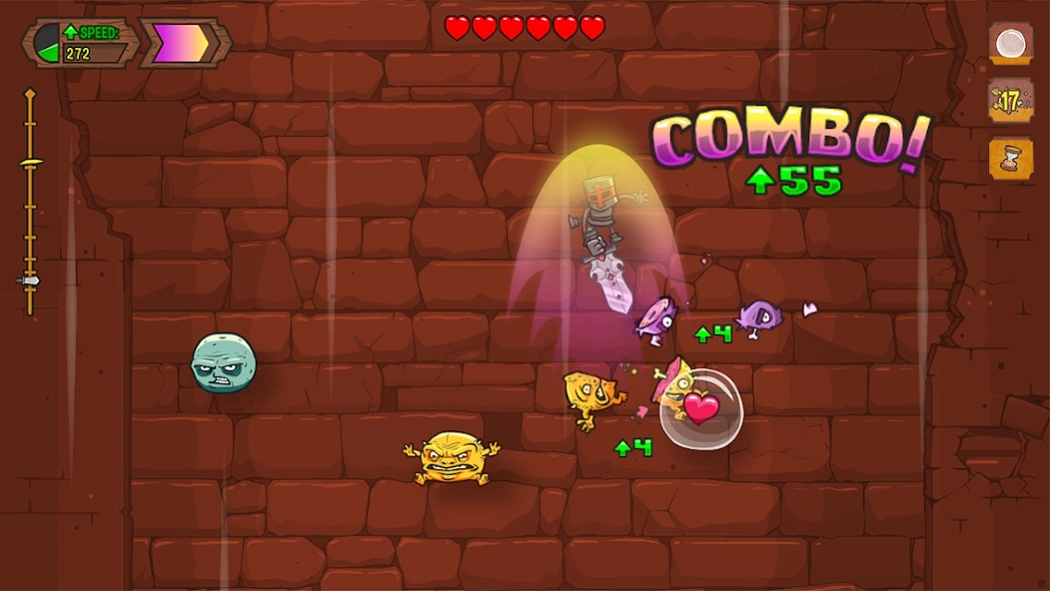
Rescue princesses and escape boiling lava as you slash your way to the top!
Break through ceilings, rescue princesses and escape boiling lava as you slash your way to the top of the Knightmare Tower!
• "Knightmare Tower hooked me for over an hour, and I had to force myself to stop playing" - Kotaku.com
• "There are triple-A, $60 games that pale in comparison to the enjoyment we got from Knightmare Tower" - GamesRadar.com
• "Easy to play and bizarrely addictive" - Joystiq.com
• "One of the few games that would be equally at home on the App Store or Xbox Live Arcade" - Eurogamer.net
-----
FEATURES:
- Campaign and Survival modes
- 10 princesses to rescue, all daughters of the same King (yeah, even that last one)
- Tons of upgrades, including visually changing armors, swords and boots
- 1 epic boss battle
- 70 quests to complete
- 50+ different monsters to slice up
- 3 legendary monsters that can be summoned with special horns
- Giant bombs that blow apart every monsters around you
- Potions that make you super strong
- Rideable rockets
- Soundtrack by HyperDuck Soundworks (Scrolls, Dust: An Elysian Tail)
- More info on http://knightmaretower.com
About Knightmare Tower
The company that develops Knightmare Tower is Juicy Beast. The latest version released by its developer is 1.5.4.
To install Knightmare Tower on your Android device, just click the green Continue To App button above to start the installation process. The app is listed on our website since 2015-03-24 and was downloaded 0 times. We have already checked if the download link is safe, however for your own protection we recommend that you scan the downloaded app with your antivirus. Your antivirus may detect the Knightmare Tower as malware as malware if the download link to com.juicybeast.knightmaretower is broken.
How to install Knightmare Tower on your Android device:
- Click on the Continue To App button on our website. This will redirect you to Google Play.
- Once the Knightmare Tower is shown in the Google Play listing of your Android device, you can start its download and installation. Tap on the Install button located below the search bar and to the right of the app icon.
- A pop-up window with the permissions required by Knightmare Tower will be shown. Click on Accept to continue the process.
- Knightmare Tower will be downloaded onto your device, displaying a progress. Once the download completes, the installation will start and you'll get a notification after the installation is finished.
Program Details
System requirements
Download information
Pricing
Version History
version 1.5.4
posted on 2015-03-24
* Fixed performance problem on some recent devices
Disclaimer
External Download
We do not host Knightmare Tower on our servers. We did not scan it for viruses, adware, spyware or other type of malware. This app is hosted by Galad and passed their terms and conditions to be listed there. We recommend caution when installing it.
The APK Download link for Knightmare Tower is provided to you by apps112.com without any warranties, representations or guarantees of any kind, so access it at your own risk.
If you have questions regarding this particular app contact the publisher directly. For questions about the functionalities of apps112.com contact us.
